How can I add multiple LinkedIn profiles to my ReachStream list?

How can I add multiple LinkedIn profiles to my ReachStream list?

With the ReachStream Chrome Extension, adding multiple LinkedIn profiles is fast, frictionless, and fully credit-tracked.
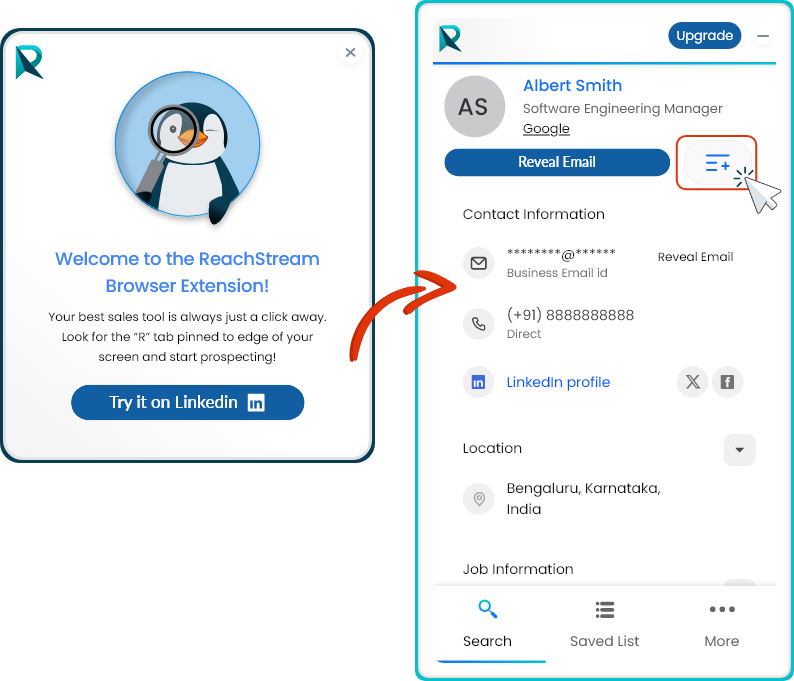


Here’s how to do it: 
  1. Install & Log In: Make sure the ReachStream Chrome Extension is installed and you're logged into your account.
  2. Use LinkedIn Search or Sales Navigator: Run a filtered search to generate a list of profiles you want to extract. 
  3. Activate the Extension: Click the ReachStream icon from your browser toolbar while on the LinkedIn search results page.
  4. Bulk Add Contacts: The extension will auto-detect all visible profiles on the page. Select the ones you want and click ‘Add to List’ or ‘Export’.
  5. Credits Are Deducted Automatically: Each profile added will consume one credit. Your updated balance is always visible in the extension. 
  6. Access Your List Anytime: All saved contacts are synced to your ReachStream dashboard under ‘My List’ for easy access and export. 
Pro Tip: Scroll through multiple pages on LinkedIn to collect more profiles before triggering the extension for bulk add.

🤔 Have a question?
If you have a question, feel free to contact our support team by creating a ticket from your account. If you don’t have an account yet, you can contact us here.

    • Related Articles

    • Can I reveal email addresses directly from LinkedIn profiles?

      Yes. With ReachStream’s LinkedIn Chrome Extension, you can reveal and verify the email addresses of targeted LinkedIn profiles in real time. It’s a fast and efficient way to access accurate contact information while browsing. ? Have a question? If ...
    • How do I create my first contact list on ReachStream?

      Creating a contact list in ReachStream is simple and efficient. Just follow the steps below to search, filter, and download your first list with ease: Step 1: Log in to Your ReachStream Dashboard Log in to your existing ReachStream account — or ...
    • How do I use the ReachStream Chrome Extension on LinkedIn?

      Using the ReachStream Chrome Extension on LinkedIn (and LinkedIn Sales Navigator) is simple, fast, and designed to fit naturally into your daily prospecting workflow. Here’s how it works—from setup to outreach-ready leads. 1. Install and Log In Add ...
    • Can agencies manage multiple team members with this feature?

      Yes. ReachStream explicitly supports agencies managing multiple team members and data workflows. Agencies can: Add and manage multiple users under one account Assign role-based permissions for controlled access Allocate and limit credits at the user ...
    • What is ReachStream LinkedIn Chrome Extension?

      The ReachStream LinkedIn Chrome Extension is a lead generation tool that lets you find, save, and export verified B2B contacts directly from LinkedIn. It integrates with your ReachStream account and works seamlessly within the LinkedIn interface, so ...